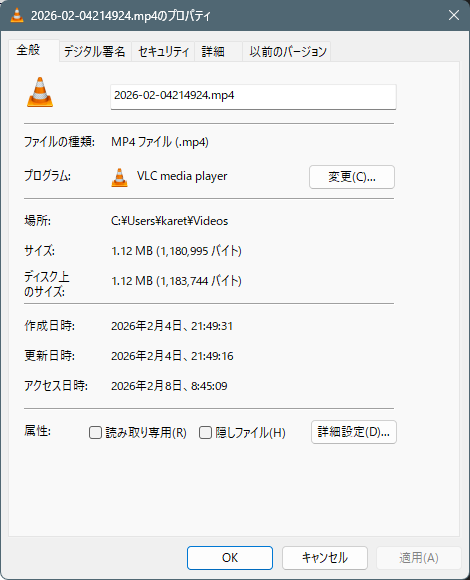
エクスプローラで動画ファイルのプロパティで
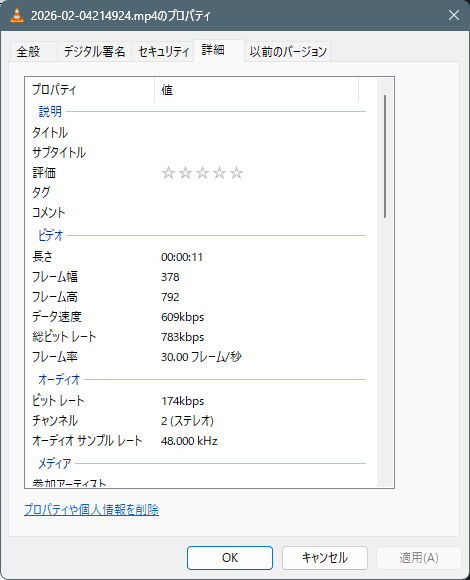
「詳細」のタブで、タイトルやコメントなどのメタ情報を記録することが出来ます。
こちらのプロパティは、このまま編集することも出来ますが、沢山のファイルを書き換える場合、
プログラムから書き換える方法を知っておきたいと思います。
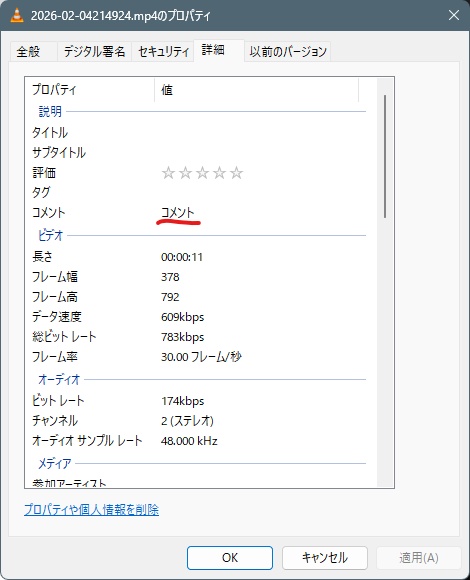
コメントにアクセスするため、WindowsAPICodePackを利用しています。
ソースコード
ファイル名:Program.cs
using Maywork.Utilities;


string path = @"C:\Users\karet\Videos\2026-02-04214924.mp4";

ShellUtils.SetComment(path, "コメント");

var comment = ShellUtils.GetComment(path);

Console.WriteLine($"{comment}");

/*
実行結果
コメント
+/
ファイル名:ShellCommentUtil.csproj
<Project Sdk="Microsoft.NET.Sdk">

  <PropertyGroup>
    <OutputType>Exe</OutputType>
    <TargetFramework>net10.0-windows</TargetFramework>
    <ImplicitUsings>enable</ImplicitUsings>
    <Nullable>enable</Nullable>
  </PropertyGroup>

  <ItemGroup>
    <PackageReference Include="WindowsAPICodePack" Version="8.0.14" />
  </ItemGroup>

</Project>
ファイル名:ShellUtil.cs
using Microsoft.WindowsAPICodePack.Shell;
using Microsoft.WindowsAPICodePack.Shell.PropertySystem;

namespace Maywork.Utilities;

public class ShellUtils
{
    public static void SetComment(string filePath, string comment)
    {
        using var shellFile = ShellObject.FromParsingName(filePath);
        if (shellFile is null) return;
        if (shellFile.Properties is null) return;
        // GetPropertyWriter() が null を返す可能性があるため null チェック
        using var writer = shellFile.Properties.GetPropertyWriter();

        // SystemProperties.System.Comment も null ではないことを明示 (!)
        writer.WriteProperty(SystemProperties.System.Comment!, comment);

        // 保存を確定させる (Close/Commit)
        writer.Close();
    }

    public static string GetComment(string filePath)
    {
        using var shellFile = ShellObject.FromParsingName(filePath);
        // Value が null の場合は空文字を返すようにする
        if (shellFile is null) return string.Empty;
        if (shellFile.Properties is null) return string.Empty;
        if (shellFile.Properties.System is null) return string.Empty;
        var value = shellFile.Properties.System.Comment?.Value;
        return value ?? string.Empty;
    }
}
/*
要
dotnet add package WindowsAPICodePack

使用例

string path = @".\2026-02-04214924.mp4";

ShellUtils.SetComment(path, "コメント");

var comment = ShellUtils.GetComment(path);

Console.WriteLine($"{comment}");
*/

コメント