using System.Configuration;
using System.Data;
using System.Windows;

namespace UserControlSampe;

/// <summary>
/// Interaction logic for App.xaml
/// </summary>
public partial class App : Application
{
}
using System.Collections.ObjectModel;
using System.ComponentModel;
using System.Diagnostics;
using System.IO;
using System.Runtime.CompilerServices;
using System.Windows;
using System.Windows.Controls;
using System.Windows.Input;
using System.Windows.Threading;

namespace UserControlSampe;

public partial class MainWindow : Window , INotifyPropertyChanged
{
    string _someLabelText = "";
    public string SomeLabelText
    {
        get => _someLabelText;
        set
        {
            if (_someLabelText == value) return;
            _someLabelText = value;
            OnPropertyChanged();
        }
    }
    public MainWindow()
    {
        InitializeComponent();
        DataContext = this;
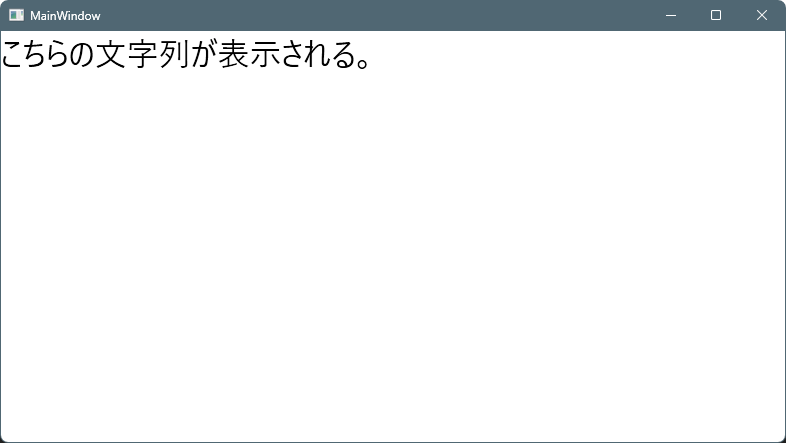
        this.Loaded += (_, __) =>
        {
            SomeLabelText = "こちらの文字列が表示される。";
        };
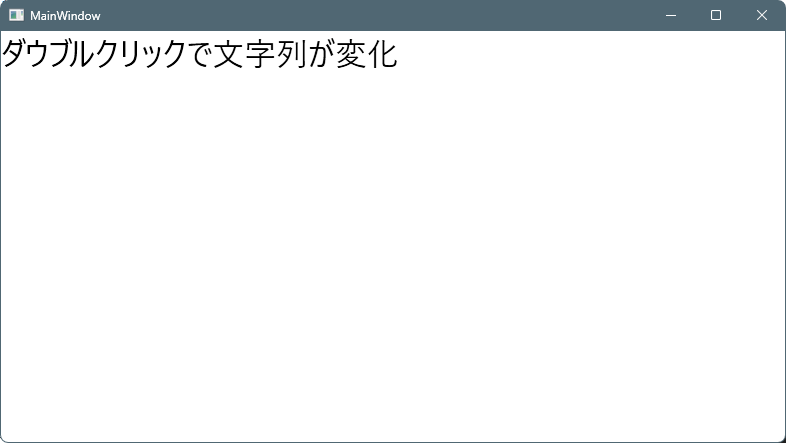
        this.MouseDoubleClick += (_, __) =>
        {
            SomeLabelText = "ダウブルクリックで文字列が変化";
        };
    }
    public event PropertyChangedEventHandler? PropertyChanged;

    protected void OnPropertyChanged([CallerMemberName] string? name = null)
        => PropertyChanged?.Invoke(this, new PropertyChangedEventArgs(name));
}
ファイル名:UserControls\MiniLabel.cs
using System.Collections.ObjectModel;
using System.ComponentModel;
using System.Diagnostics;
using System.IO;
using System.Runtime.CompilerServices;
using System.Windows;
using System.Windows.Controls;
using System.Windows.Input;
using System.Windows.Threading;


namespace Maywork.WPF.Controls;

public partial class MiniLabel : UserControl
{
    public MiniLabel()
    {
        InitializeComponent();

        // ロード後
        Loaded += (_, _) => Apply();
    }

    public static readonly DependencyProperty TextProperty =
        DependencyProperty.Register(
            nameof(Text),
            typeof(string),
            typeof(MiniLabel),
            new PropertyMetadata(string.Empty));

    // DP。バインド可能
    public string Text
    {
        get => (string)GetValue(TextProperty);
        set => SetValue(TextProperty, value);
    }

    // 通常のプロパティ。初期化のみしか出来ない。
    public string InitFontSize { get; set; } = "";

    void Apply()
    {
        Label1.FontSize = double.TryParse(InitFontSize, out var v) ? v : 10;
    }
}

コメント