
ImageにはSourceの変更を通知するイベントは存在しませんが、
DependencyPropertyDescriptor.FromProperty()でImageのSourceプロパティを監視し、
変更があった場合SourceChangedEventというイベントが呼び出される仕掛けになっています。
基本的にAttached Propertyはコントロールにプロパティを生やす仕組みですが、
今回の方法を使うと、複数のコントロールを連携させる使い方が出来るようです。
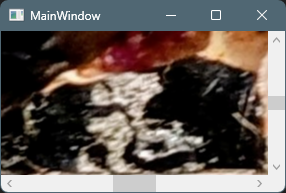
実行例
ImageSourceWatcher.cs
using System.ComponentModel;
using System.Windows;
using System.Windows.Controls;
using System.Windows.Media;

namespace DependencyPropertyDescriptorDemo;

public static class ImageSourceWatcher
{
    /* ============================
     * IsEnabled AttachedProperty
     * ============================ */

    public static readonly DependencyProperty IsEnabledProperty =
        DependencyProperty.RegisterAttached(
            "IsEnabled",
            typeof(bool),
            typeof(ImageSourceWatcher),
            new PropertyMetadata(false, OnIsEnabledChanged));

    public static void SetIsEnabled(DependencyObject obj, bool value)
        => obj.SetValue(IsEnabledProperty, value);

    public static bool GetIsEnabled(DependencyObject obj)
        => (bool)obj.GetValue(IsEnabledProperty);


    /* ============================
     * 変更監視
     * ============================ */

    private static readonly DependencyPropertyDescriptor? _sourceDescriptor =
        DependencyPropertyDescriptor.FromProperty(
            Image.SourceProperty,
            typeof(Image));

    private static void OnIsEnabledChanged(
        DependencyObject d,
        DependencyPropertyChangedEventArgs e)
    {
        if (d is not Image image)
            return;

        if ((bool)e.NewValue)
        {
            _sourceDescriptor?.AddValueChanged(image, OnSourceChanged);
        }
        else
        {
            _sourceDescriptor?.RemoveValueChanged(image, OnSourceChanged);
        }
    }

    private static void OnSourceChanged(object? sender, EventArgs e)
    {
        if (sender is not Image image)
            return;

        var args = new RoutedEventArgs(SourceChangedEvent, image);
        image.RaiseEvent(args);
    }


    /* ============================
     * 独自 RoutedEvent
     * ============================ */

    public static readonly RoutedEvent SourceChangedEvent =
        EventManager.RegisterRoutedEvent(
            "SourceChanged",
            RoutingStrategy.Bubble,
            typeof(RoutedEventHandler),
            typeof(ImageSourceWatcher));

    public static void AddSourceChangedHandler(
        DependencyObject d,
        RoutedEventHandler handler)
    {
        if (d is UIElement u)
            u.AddHandler(SourceChangedEvent, handler);
    }

    public static void RemoveSourceChangedHandler(
        DependencyObject d,
        RoutedEventHandler handler)
    {
        if (d is UIElement u)
            u.RemoveHandler(SourceChangedEvent, handler);
    }
}
MainWindow.xaml.cs
using System.Windows;
using System.Windows.Controls;
using System.Windows.Media.Imaging;

namespace DependencyPropertyDescriptorDemo;

public partial class MainWindow : Window
{
    public MainWindow()
    {
        InitializeComponent();

        // ウィンドウがロード後、画像の読み込みと表示
        this.Loaded += (s, e) =>
        {
            string path = @"C:\Users\karet\Pictures\20260120\4e1699fd-d672-4fb4-8c72-4cf1f36f0c53~1.jpg";
            Image1.Source = new BitmapImage(new Uri(path));
        };
    }
    // 画像のSourceプロパティが変更されたときのイベントハンドラー
    private void OnImageSourceChanged(object sender, RoutedEventArgs e)
    {
        // 画像のサイズに合わせてCanvasのサイズを調整し、スクロール位置を中央に設定
		if (Image1.Source is not BitmapSource bitmap) return;

		Canvas1.Width = bitmap.PixelWidth;
        Canvas1.Height = bitmap.PixelHeight;

        double x = (Canvas1.Width - Scroll1.ViewportWidth) / 2;
        double y = (Canvas1.Height - Scroll1.ViewportHeight) / 2;
        Scroll1.ScrollToHorizontalOffset(x);
        Scroll1.ScrollToVerticalOffset(y);
    }
}
MainWindow.xaml
<Window x:Class="DependencyPropertyDescriptorDemo.MainWindow"
        xmlns="http://schemas.microsoft.com/winfx/2006/xaml/presentation"
        xmlns:x="http://schemas.microsoft.com/winfx/2006/xaml"
        xmlns:d="http://schemas.microsoft.com/expression/blend/2008"
        xmlns:mc="http://schemas.openxmlformats.org/markup-compatibility/2006"
        xmlns:local="clr-namespace:DependencyPropertyDescriptorDemo"
        mc:Ignorable="d"
        Title="MainWindow" Height="200" Width="300">
    <Grid>
        <ScrollViewer
            x:Name="Scroll1"
            HorizontalScrollBarVisibility="Visible"
            VerticalScrollBarVisibility="Visible"
            local:ImageSourceWatcher.SourceChanged="OnImageSourceChanged">  <!-- ScrollViewerに画像のSource変更イベントをバインド -->

            <Canvas x:Name="Canvas1">
                <Image
                    x:Name="Image1"
                    Stretch="None"
                    local:ImageSourceWatcher.IsEnabled="True"/> <!-- Imageに画像のSource変更を監視するためのAttached Propertyを設定 -->
            </Canvas>

        </ScrollViewer>
    </Grid>
</Window>

コメント