
アプリの個々の設定を記録する仕組みを試してみました。
ソースコード
ファイル名:AppSettingsSample.csproj
<Project Sdk="Microsoft.NET.Sdk">

  <PropertyGroup>
    <OutputType>WinExe</OutputType>
    <TargetFramework>net8.0-windows</TargetFramework>
    <Nullable>enable</Nullable>
    <ImplicitUsings>enable</ImplicitUsings>
    <UseWPF>true</UseWPF>
  </PropertyGroup>

</Project>
ファイル名:MainWindow.xaml.cs
using System.Windows;

using AppSettingsSample.Properties;

namespace AppSettingsSample;

public partial class MainWindow : Window
{
    public MainWindow()
    {
        InitializeComponent();

        Loaded += (_, _) => LoadSetting();
        Closing += (_, _) => SaveSetting();
    }

    void LoadSetting()
    {
        ThreadCountBox.Text =
            Settings.Default.ThreadCount.ToString();
    }

    void SaveSetting()
    {
        if (int.TryParse(ThreadCountBox.Text, out int value))
        {
            Settings.Default.ThreadCount = value;
            Settings.Default.Save();
        }
    }

    void Reset_Click(object sender, RoutedEventArgs e)
    {
        Settings.Default.Reset();

        ThreadCountBox.Text =
            Settings.Default.ThreadCount.ToString();
    }
}
ファイル名:Properties\Settings.cs
using System.Configuration;

namespace AppSettingsSample.Properties;

internal sealed class Settings : ApplicationSettingsBase
{
    private static readonly Settings defaultInstance =
        (Settings)Synchronized(new Settings());

    public static Settings Default => defaultInstance;

    // ============================
    // 使用するスレッド数
    // ============================

    [UserScopedSetting]
    [DefaultSettingValue("4")]
    public int ThreadCount
    {
        get => (int)this[nameof(ThreadCount)];
        set => this[nameof(ThreadCount)] = value;
    }
}
ファイル名:MainWindow.xaml
<Window x:Class="AppSettingsSample.MainWindow"
        xmlns="http://schemas.microsoft.com/winfx/2006/xaml/presentation"
        xmlns:x="http://schemas.microsoft.com/winfx/2006/xaml"
        Title="Settings Sample"
        Width="350"
        Height="160">

    <Grid Margin="16">
        <Grid.RowDefinitions>
            <RowDefinition Height="Auto"/>
            <RowDefinition Height="Auto"/>
        </Grid.RowDefinitions>

        <Grid.ColumnDefinitions>
            <ColumnDefinition Width="Auto"/>
            <ColumnDefinition Width="*"/>
        </Grid.ColumnDefinitions>

        <!-- ラベル -->
        <TextBlock
            Text="使用するスレッド数"
            VerticalAlignment="Center"
            Margin="0,0,8,0"/>

        <!-- 入力欄 -->
        <TextBox
            x:Name="ThreadCountBox"
            Grid.Column="1"
            Width="80"/>

        <!-- リセットボタン -->
        <Button
            Grid.Row="1"
            Grid.ColumnSpan="2"
            Margin="0,12,0,0"
            Content="デフォルトに初期化"
            HorizontalAlignment="Right"
            Width="140"
            Click="Reset_Click"/>
    </Grid>
</Window>
実行例
- 起動初期
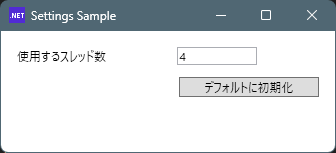
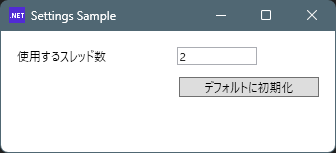
- 値を書き換え→アプリ終了→起動すると値が記録されていることが確認できる。
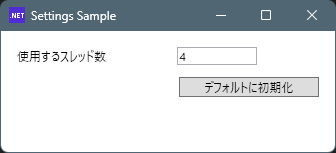
- 「デフォルトに初期化」ボタンを押すと値が初期化される
説明
user.configというテキストファイルに保存されます。
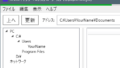
場所は以下のようになりました。
"C:\Users\karet\AppData\Local\AppSettingsSample\AppSettingsSample_Url_bh0lufj5gxvf0knx2xj5vu15135u123c\1.0.0.0\user.config"パスの構造から推測するに、テキストエディタで更新して使うものでは無さそうです。
user.configの中身
<?xml version="1.0" encoding="utf-8"?>
<configuration>
    <configSections>
        <sectionGroup name="userSettings" type="System.Configuration.UserSettingsGroup, System.Configuration.ConfigurationManager, Version=8.0.0.0, Culture=neutral, PublicKeyToken=cc7b13ffcd2ddd51" >
            <section name="AppSettingsSample.Properties.Settings" type="System.Configuration.ClientSettingsSection, System.Configuration.ConfigurationManager, Version=8.0.0.0, Culture=neutral, PublicKeyToken=cc7b13ffcd2ddd51" allowExeDefinition="MachineToLocalUser" requirePermission="false" />
        </sectionGroup>
    </configSections>
    <userSettings>
        <AppSettingsSample.Properties.Settings>
            <setting name="ThreadCount" serializeAs="String">
                <value>4</value>
            </setting>
        </AppSettingsSample.Properties.Settings>
    </userSettings>
</configuration>
中身はXMLファイルです。
テキストエディタで編集しないとなると、このファイルはC#側から操作するものの様ですね。
コメント